
How to post pictures
-
donald luster
- Posts: 133
- Joined: May 19, 2007, 8:49 am
How to post pictures
Very very ignorant about computers but would someone take the time and explain step by step how to post pictures. Some recommend using some picture web page etc. How do you find it? Sorry to be sooooo dumb on computers but I am. Thanks for your help. I could not find a place on this web site to do this posting pictures but that could just be my bumbness also.
-
ICEMAN6166
- Posts: 11470
- Joined: July 11, 2006, 11:28 am
- Location: Dove Creek, Co. elevation 6842

Re: How to post pictures
open account on photobucket
http://www.photobucket.com
it will let you upload pics directly from your computer to the site.
once you have your account and pics uploaded copy and paste the IMG code (under image links) on the right side of the page with your pic into the open post window
http://www.photobucket.com
it will let you upload pics directly from your computer to the site.
once you have your account and pics uploaded copy and paste the IMG code (under image links) on the right side of the page with your pic into the open post window
1966 F250 4x4
1964 Rambler Ambassador 990
Rest in peace departed Slick family members
Cam Milam
Lesley Ferguson
Steve Lopes
John Sutton
1964 Rambler Ambassador 990
Rest in peace departed Slick family members
Cam Milam
Lesley Ferguson
Steve Lopes
John Sutton
-
donald luster
- Posts: 133
- Joined: May 19, 2007, 8:49 am
Re: How to post pictures
how do you paste the img code? Thanks iceman
-
F7BIGJOB

- Posts: 1379
- Joined: March 14, 2010, 7:59 am
- Location: West Greenwich, Rhode Island & Providence Plantations

Re: How to post pictures
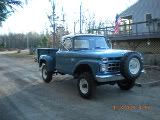
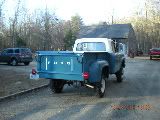
Not ICE, mouse over img, left click, should say 'copied' go to your post click on post, right click 'paste' hit enter check preview and wala!
F7BIGJOB
-Steve
1965 F-250 4x4 Flareside
-Steve
1965 F-250 4x4 Flareside
-
ICEMAN6166
- Posts: 11470
- Joined: July 11, 2006, 11:28 am
- Location: Dove Creek, Co. elevation 6842
Re: How to post pictures
is that in the new photobucket?F7BIGJOB wrote:Not ICE, mouse over img, left click, should say 'copied' go to your post click on post, right click 'paste' hit enter check preview and wala!
i am still using the old version (dont like the new one )
1966 F250 4x4
1964 Rambler Ambassador 990
Rest in peace departed Slick family members
Cam Milam
Lesley Ferguson
Steve Lopes
John Sutton
1964 Rambler Ambassador 990
Rest in peace departed Slick family members
Cam Milam
Lesley Ferguson
Steve Lopes
John Sutton
-
F7BIGJOB
- Posts: 1379
- Joined: March 14, 2010, 7:59 am
- Location: West Greenwich, Rhode Island & Providence Plantations
Re: How to post pictures
No, Brian still the old one- I opted out of the new just don't understand/like it.-- But that's the way I've retrieved pics.

Brian, just tried again to be sure [ of myself ], moused to img link, left clicked said 'copied' went to this post, right clicked 'paste' hit enter and here's pic.
Brian, just tried again to be sure [ of myself ], moused to img link, left clicked said 'copied' went to this post, right clicked 'paste' hit enter and here's pic.
F7BIGJOB
-Steve
1965 F-250 4x4 Flareside
-Steve
1965 F-250 4x4 Flareside
-
ICEMAN6166
- Posts: 11470
- Joined: July 11, 2006, 11:28 am
- Location: Dove Creek, Co. elevation 6842
Re: How to post pictures
Steve
same as what i do
i misunderstood thinking you clicked on the actual image
same as what i do
i misunderstood thinking you clicked on the actual image
1966 F250 4x4
1964 Rambler Ambassador 990
Rest in peace departed Slick family members
Cam Milam
Lesley Ferguson
Steve Lopes
John Sutton
1964 Rambler Ambassador 990
Rest in peace departed Slick family members
Cam Milam
Lesley Ferguson
Steve Lopes
John Sutton
-
F7BIGJOB
- Posts: 1379
- Joined: March 14, 2010, 7:59 am
- Location: West Greenwich, Rhode Island & Providence Plantations
Re: How to post pictures
Had me worried I was doin' something wrong.
Donald Luster, any luck??
Donald Luster, any luck??
F7BIGJOB
-Steve
1965 F-250 4x4 Flareside
-Steve
1965 F-250 4x4 Flareside
-
F7BIGJOB
- Posts: 1379
- Joined: March 14, 2010, 7:59 am
- Location: West Greenwich, Rhode Island & Providence Plantations
Re: How to post pictures
ICEMAN6166 wrote: i misunderstood thinking you clicked on the actual image
Just saw this part, ok
F7BIGJOB
-Steve
1965 F-250 4x4 Flareside
-Steve
1965 F-250 4x4 Flareside
-
Alan Mclennan

- Posts: 9324
- Joined: October 14, 2006, 6:16 pm
- Location: In the shed... Cranebrook NSW

Re: How to post pictures
Steve / Don, you may also find this tool helpfull to resize the pic`s
http://pixresizer.en.softonic.com/
http://pixresizer.en.softonic.com/
Honey, If I say I`ll fix something I will, there`s no need to remind me every 6 months!!
66 f100 tabletop swb 351 Clevo C6 "Beryl"
Slick Stock 3 KCMO
Slick Stock 4 Altoona
Slick Stock 5 KCMO
Slick Stock 6 Altoona
Slick Stock 7 Salina KS
Slick Stock 8..............................
66 f100 tabletop swb 351 Clevo C6 "Beryl"
Slick Stock 3 KCMO
Slick Stock 4 Altoona
Slick Stock 5 KCMO
Slick Stock 6 Altoona
Slick Stock 7 Salina KS
Slick Stock 8..............................
-
F7BIGJOB
- Posts: 1379
- Joined: March 14, 2010, 7:59 am
- Location: West Greenwich, Rhode Island & Providence Plantations
Re: How to post pictures
Alan, I'm sure I can re-size on p/b. Am I doing a faux pas on the size[s] I'm posting? and or offending anyone?
F7BIGJOB
-Steve
1965 F-250 4x4 Flareside
-Steve
1965 F-250 4x4 Flareside
-
Alan Mclennan
- Posts: 9324
- Joined: October 14, 2006, 6:16 pm
- Location: In the shed... Cranebrook NSW
Re: How to post pictures
Steve, what I really meant was if you resize them before you up load them to PB, it is alot faster, I now have the camera that I use to post pic`s, set at the right size pixels, so I don`t have to resize thats all!F7BIGJOB wrote:Alan, I'm sure I can re-size on p/b. Am I doing a faux pas on the size[s] I'm posting? and or offending anyone?

OH and PS. I like big pic`s!

Honey, If I say I`ll fix something I will, there`s no need to remind me every 6 months!!
66 f100 tabletop swb 351 Clevo C6 "Beryl"
Slick Stock 3 KCMO
Slick Stock 4 Altoona
Slick Stock 5 KCMO
Slick Stock 6 Altoona
Slick Stock 7 Salina KS
Slick Stock 8..............................
66 f100 tabletop swb 351 Clevo C6 "Beryl"
Slick Stock 3 KCMO
Slick Stock 4 Altoona
Slick Stock 5 KCMO
Slick Stock 6 Altoona
Slick Stock 7 Salina KS
Slick Stock 8..............................
-
F7BIGJOB
- Posts: 1379
- Joined: March 14, 2010, 7:59 am
- Location: West Greenwich, Rhode Island & Providence Plantations
Re: How to post pictures
OK, Thanks, leaving the way they are, I am NOT puter savvy, and I like big pics too.Alan Mclennan wrote:Steve, what I really meant was if you resize them before you up load them to PB, it is alot faster, I now have the camera that I use to post pic`s, set at the right size pixels, so I don`t have to resize thats all!F7BIGJOB wrote:Alan, I'm sure I can re-size on p/b. Am I doing a faux pas on the size[s] I'm posting? and or offending anyone?
OH and PS. I like big pic`s!
F7BIGJOB
-Steve
1965 F-250 4x4 Flareside
-Steve
1965 F-250 4x4 Flareside